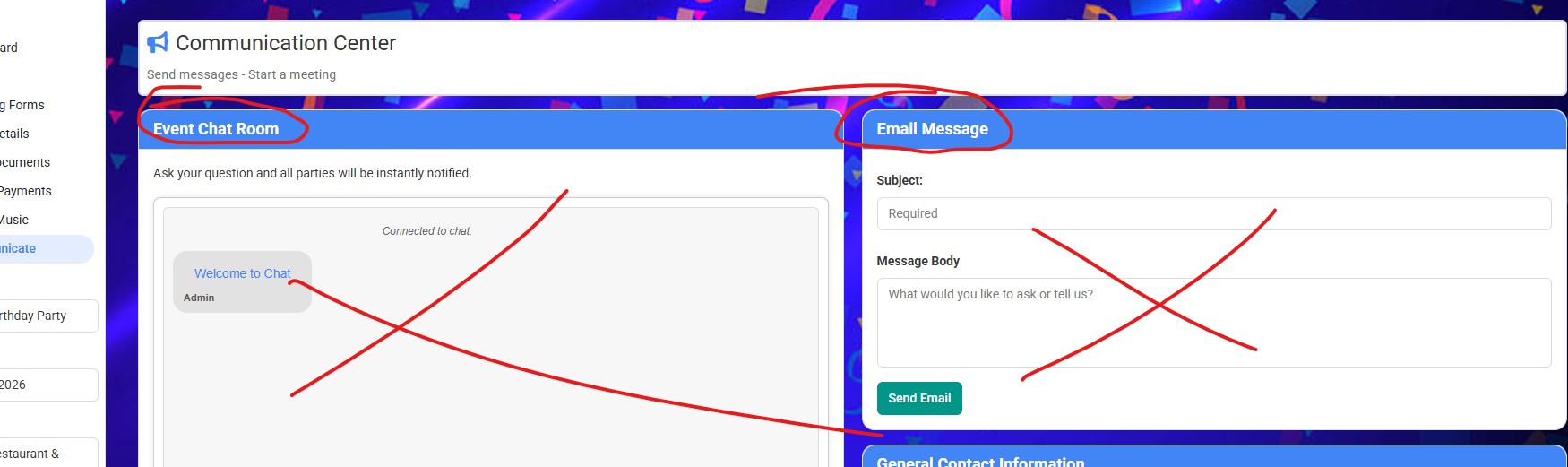
Hello, How do you turn off the “Event Chat Room” and “Email” features in the “Communication Center”? Thank you.
Hello @preprodjs,
To turn off the “Event Chat Room” and “Email” features in the “Communication Center,” you can adjust the visibility settings in the General Client Options. While the documentation does not specify these features directly, you can manage various options that may help streamline communication for your clients.
If you need further assistance with specific settings or features, feel free to reach out, and our team will be happy to help!
Best,
– Ashley, Gigbuilder Support
Where is “General Client Options”?
Hi @preprodjs,
The “General Client Options” can be found under the Setup menu. To access it, navigate to Setup → Client/Web Tools → Client Options. This section allows you to toggle various features visible to clients in their portal, such as notifications, event notes, and guest management.
If you have any more questions or need further assistance, feel free to ask!
– Ashley, Gigbuilder Support
“email message” is not available to remove in the set up>web tools>client options. I’m trying to remove it as it does not work.
Looks like a bug – I’m on it.