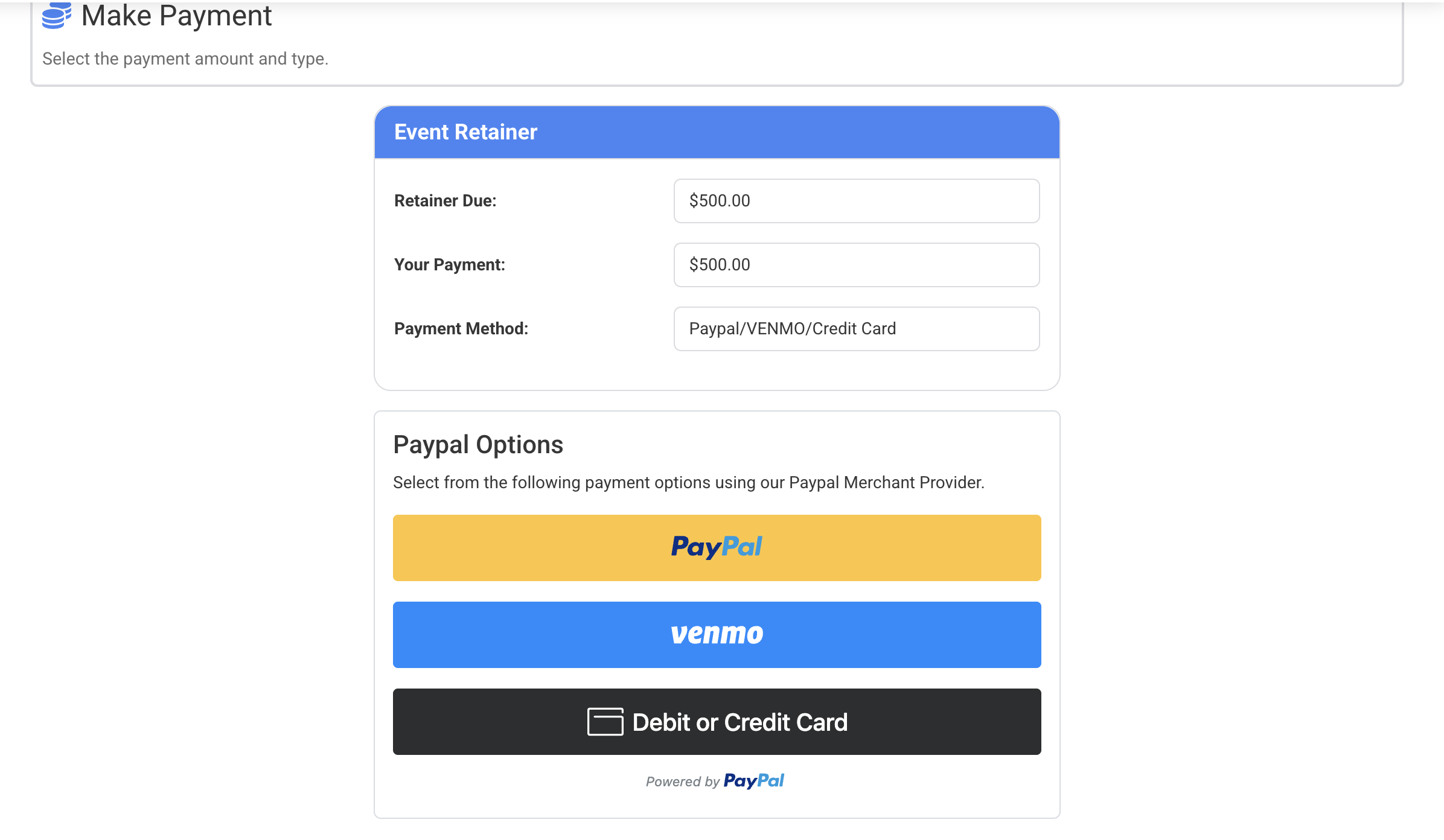
It seems that clients can no longer make payments over the weekend. I received a call from a client that said the drop down was unable to be selected and upon looking in the client portal, there are no check boxes, just:
This link is not a dropdown but a solid set of words. I only have paypal as a payment type at the moment. A client was able to make a payment last week but as of this weekend, all of my clients are seeing this. There is no drop down for deposit payment or extra payment, non refundable deposit due, the amount due and the box above. Help please.
I’m sorry to hear that your clients are having trouble with the payment options! Based on the documentation, it looks like there are several settings that control the payment experience for clients. Here are a few things you might want to check:
Client Login Payments: Ensure that this setting is set to “Yes - Display” so that payment options are visible in the client portal.
Deposit Payments: Verify that the setting allows clients to make online deposit payments. If it’s set to “Client cannot pay online,” that could be the issue.
Default Merchant: Since you mentioned you only have PayPal, make sure it’s correctly set as the default payment method.
If everything seems correct and the issue persists, please reach out to our support team for further assistance. They’ll be happy to help you resolve this!
I have one specific client who can not make a payment. Clicking on Debit/Credit card makes the screen move, like the drawer is trying to open, then nothing happens. Here is console:
paypal.js?openfileresource:67 PayPal checkout error
Error: /v2/checkout/orders returned status 422 (Corr ID: f924930da9ca9).
It sounds like your client is encountering a payment issue due to the amount being processed. The error message indicates that the amount is set to “0.00,” which is not acceptable for PayPal transactions.
To resolve this, please check the Deposit Options in your Merchant Services settings. Make sure that the deposit amount is set correctly and that it allows for a valid payment amount greater than zero.
If you need further assistance or if the issue persists after checking these settings, feel free to reach out, and our team will be happy to help!
We have it set to $500. I then tried to adjust it to $499, and the same issue with same dev tools console. I have tested this with other events and clients and I do not have this issue.