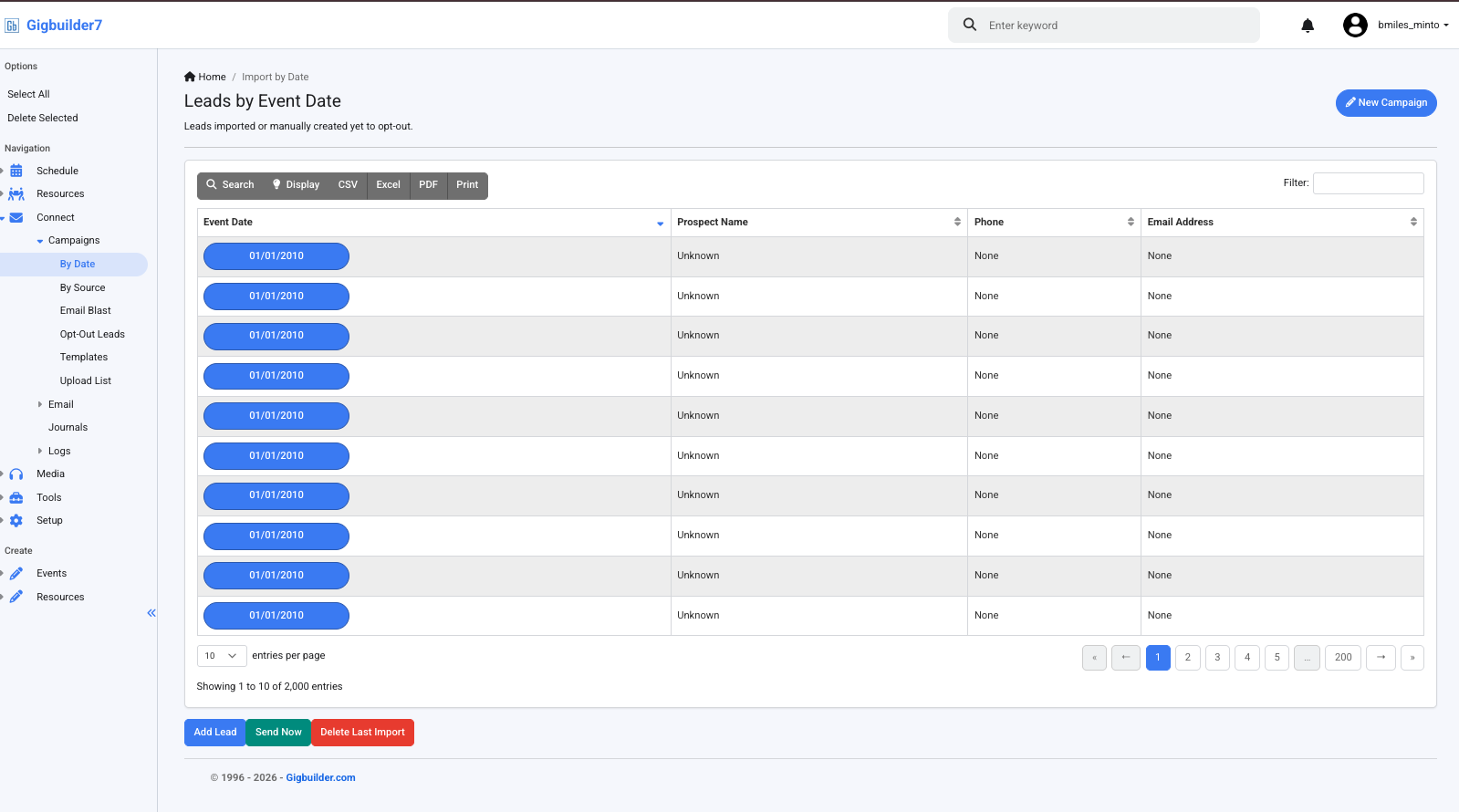
Help! I was in the middle of uploading a new campaign list and Gigbuilder logged me out as my list of 5 people was uploading. When I logged back in, it now says that I have 2,000 campaign leads that are all dated 1/1/2010 with no other information in the field. When I go in to each one to delete, it will not delete. How do I fix this?
Hi @bmiles_minto,
I’m sorry to hear you’re experiencing issues with your campaign upload! It sounds like the unexpected logout may have caused some data corruption with your leads.
While the documentation does not specifically address this issue, I recommend checking if you can apply any housecleaning rules to manage the old leads. You can set them to Lost-Opportunity or Auto-Archive and then use the “Update Current and Past Events” option to clear out any unwanted records.
If you’re still unable to delete the leads or if this doesn’t resolve your issue, please reach out to our support team directly, and they’ll be happy to assist you further!
Best of luck, and let us know if you need anything else!
– Ashley, Gigbuilder Support
How do I set them to “Lost-Opportunity” or " Auto-Archive?"
Hi @bmiles_minto,
To set events to “Lost-Opportunity” or “Auto-Archive,” you can configure the Housecleaning rules in your Gigbuilder CRM. Here’s a quick guide:
- Set New Events, Leads, and Pursued to either Lost-Opportunity or Auto-Archive.
- After configuring these settings, use the “Update Current and Past Events” option to apply the rules retroactively. This will help clear out any old leads and inquiries clogging your active views.
If you need further assistance or have specific questions about the process, feel free to reach out!
Best,
– Ashley, Gigbuilder Support
I just tried this and it didn’t work
Any further help with this issue that I can get?